Search for almost any movie or show with the word “free” and you will find dozens of sites promising to play it instantly. Some are legitimate ad-supported services. Many are not. Unofficial streaming sites are a common way for malware, scams and data theft to reach ordinary viewers, because people arrive expecting pop-ups and are more willing to click through warnings.
This guide shows you how to tell the difference in a couple of minutes, what to do if you have already clicked something, and where to look instead.

Why fake streaming sites are risky
Most unofficial streaming sites make money from aggressive advertising, and the ad networks willing to work with them are often the least careful. That leads to a few common dangers:
- Malware disguised as a video player, codec, “HD booster” or browser extension.
- Phishing pages that ask you to “create a free account” with card details, then charge you or sell your data.
- Scareware pop-ups claiming your phone is infected and pushing you to install a fake cleaner.
- Notification spam: once you allow notifications, the site can push scam ads to your device for months.
- Legal risk: depending on where you live, accessing pirated content can break copyright law.
9 warning signs of a fake or unsafe streaming site
1. A strange or constantly changing web address
Look closely at the address bar. Misspelled brand names, long strings of numbers, unusual domain endings and sites that keep moving to new addresses are all red flags. Official services keep the same, simple address for years.
2. It asks you to install something to watch
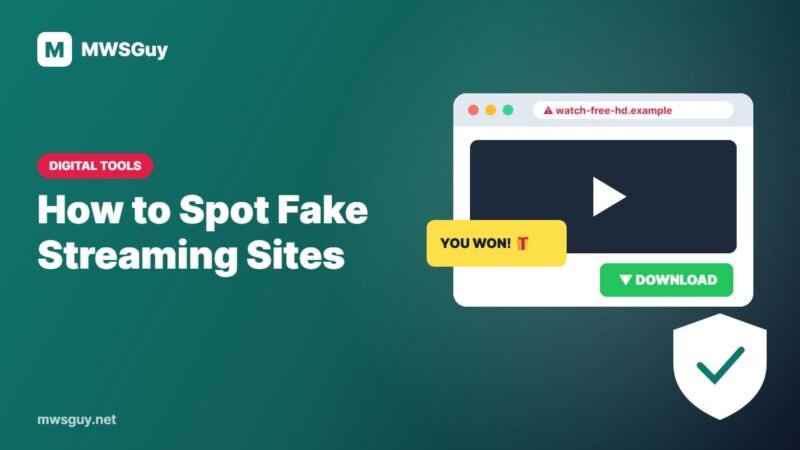
Modern browsers play video without extra software. A site that says you need a special player, codec, extension or app before the video starts is the single clearest sign of trouble. Close the tab.
3. Fake play and download buttons
If the page has several large play or download buttons and clicking any of them opens a new tab, they are advertisements dressed up as controls.
4. Pop-ups, redirects and prizes
Being bounced to a different site, seeing “You won!” messages or fake system alerts means the site is selling your clicks to whoever pays most.
5. Card details for a “free” account
Legitimate free services either need no account or ask only for an email address. A “free” sign-up that wants your card number “to verify your age” is a classic subscription trap.
6. Brand-new releases that are still in cinemas
If a film opened in cinemas this week and a little-known site claims to have it in HD, it is either pirated or bait. Official services publish release dates, so check them.
7. No company name, contact details or legal pages
Real services tell you who runs them, where they are based and how to contact them, and they have readable terms and privacy policies. Our checklist for evaluating online tools explains how to check these quickly.
8. Browser or security warnings
“Not secure”, “Deceptive site ahead” and similar warnings from your browser or antivirus are there for a reason. Do not click past them to watch a video.
9. Requests for notifications, camera or location
A video site has no reason to send you notifications or use your camera. Block these requests.
Fake vs legitimate: a quick comparison
| Legitimate service | Fake or unsafe site | |
|---|---|---|
| Web address | Stable, simple, official | Odd spelling, keeps changing |
| To watch | Plays in browser or official app | “Install this player first” |
| Account | Clear sign-up, clear pricing | Card details for a “free” trial |
| Ads | Normal ad breaks, if any | Pop-ups, redirects, fake buttons |
| Company details | Name, contact, terms, privacy policy | None or copied text |
| Catalogue | Licensed titles with release dates | Everything, including cinema releases |
What to do if you already clicked something
- Close the tab and do not enter any details. If the page will not close, close the whole browser.
- Do not open downloaded files. Delete anything you downloaded and empty the downloads folder.
- Remove unknown browser extensions and reset browser settings if your homepage or search engine has changed.
- Revoke notification permissions for the site in your browser settings.
- Run a scan with your device’s built-in security tool or a reputable antivirus.
- If you entered a password, change it everywhere you used it and turn on two-factor authentication.
- If you entered card details, contact your bank straight away and watch your statements.
Safer ways to watch for free or cheaply
You do not need a risky site to watch without a big monthly bill. Many regions have free ad-supported streaming services and free live channels (often called AVOD and FAST), public broadcasters with free catch-up apps, and public libraries that offer free film streaming with a library card. You can also rent a single title instead of subscribing. Our explainer on streaming and viewing options breaks down how each model works.
If a legitimate service is buffering, see 12 fixes for video that keeps buffering before assuming you need a different site.
Frequently asked questions
How can I tell if a streaming site is legit?
Check that it has a stable official web address, a named company with contact details, clear pricing, terms and a privacy policy, and that it plays video without asking you to install anything. If it pushes pop-ups, fake buttons or downloads, leave.
Can you get a virus from a streaming website?
Watching a video in an up-to-date browser is low risk on its own, but unsafe streaming sites often try to make you download fake players or extensions, or send you to malicious ad pages. Those downloads and clicks are where most infections happen.
Is using an ad blocker enough to stay safe?
An ad blocker reduces pop-ups but does not make an unsafe site safe. It will not stop you from installing a fake player, entering card details or allowing notifications. Avoiding the site is the safer choice.
Does MWSGuy link to streaming sites?
No. MWSGuy does not host, embed or link to unofficial streams. We publish guides and recommend that readers use official, licensed services.
Final thoughts
The simplest rule is this: a website should never need you to install something, hand over card details or allow notifications just to play a video. If it does, close it. Your time, your data and your device are worth more than one free movie.